The best mini PCs and microservers for home labs
A rack of enterprise servers looks impressive until the first electricity bill. This is a guide to the quiet, efficient, small-form-factor hardware that can run a serious home lab for very little power.

The old home-lab image is a loud rack of ex-corporate servers in the garage. It is a common starting point, and usually a mistake. Enterprise gear is cheap to buy and expensive to own: loud, hot, and power-hungry. In 2026 the better choice, and the one much of the community has moved to, is small, quiet, efficient hardware that costs very little to run. Here is how to choose it.
01The cost of old enterprise gear
An $80 rack server looks like a bargain until you measure its power draw. Older enterprise servers commonly idle at 100–200 watts before doing any real work, and a device drawing an average of 150 watts continuously uses about 1,300 kilowatt-hours a year, which at the average US residential electricity price tracked by the EIA can cost more per year than the server did to buy.4 Add the loud fans and the heat it puts into a room, and the "free" server becomes the most expensive box in the house. The point is not that enterprise gear is bad; it is that idle efficiency matters a lot for something running 24/7, and that is where old servers are weakest.
02Small 1L PCs
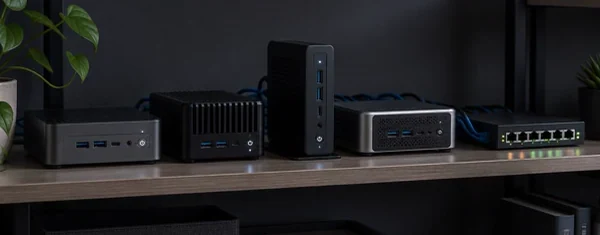
The most useful development for home labs is the supply of 1-litre "micro" PCs on the second-hand market: the ex-corporate Lenovo ThinkCentre Tiny, Dell OptiPlex Micro, and HP EliteDesk/EliteMini machines that companies lease and retire in large numbers. ServeTheHome's "Project TinyMiniMicro" documented this in detail: these 1L boxes make good, low-power, near-silent home-lab nodes, with solid build quality and enough performance to run a full hypervisor.1 A used micro PC with a modern low-TDP CPU idles at a few watts, fits in a small space, and costs a fraction of the power-hungry rack servers it replaces. For many people, one or a few of these is the whole home lab.
03The HP MicroServer for storage builds
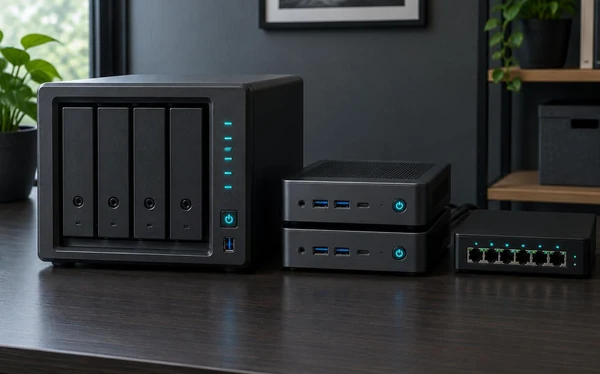
When the lab is mainly about storage — a NAS with room for several drives — the compact-server category is worth a look. HPE's ProLiant MicroServer line (the Gen10 Plus v2 is the current compact model) fits multiple drive bays into a small, quiet chassis meant for a home or small office rather than a data centre.2 It suits a TrueNAS build (see part one): quiet enough for a living room, with the bays that a 3-2-1 backup strategy and a growing media library both need. Pair one as your storage box with a micro PC or two for compute and you have covered both halves of a home lab.
04Raspberry Pi versus x86
The Raspberry Pi is the other end of the range, and the guidance is to match it to the job.3 A Pi, or a cluster of them, is good for low-power, always-on, single-purpose roles such as a DNS ad-blocker, a small Kubernetes learning cluster, or a sensor hub, and for learning ARM and clustering cheaply. It is not the right tool for RAM-hungry virtualisation or heavy services: an x86 micro PC will outperform a Pi cluster on most home-lab workloads for similar money and less effort, while a Pi wins on price, size, and idle power for light, dedicated tasks. Use a Pi where its strengths fit, and x86 when you need real memory and virtualisation.
Buy for the electricity bill, not the purchase price. A home-lab node runs every hour of every day, so the cheapest machine to own is the one that uses little power at idle.
05A simple buying framework
The decision is mostly about role:
- General compute / virtualisation — a used 1L micro PC (ThinkCentre Tiny, OptiPlex Micro, EliteDesk Mini). Add as much RAM as you can; it is the usual bottleneck.
- Storage / NAS — an HP MicroServer or a small tower with drive bays, running TrueNAS.
- Light, dedicated, always-on tasks — a Raspberry Pi.
- A cluster to learn on — three identical micro PCs are better than one large server for practising high availability and live migration.
In each case, prefer low idle power and quiet operation over raw specs; a home lab is judged over years of running, not a single benchmark.
06Where OcxlyDev lands
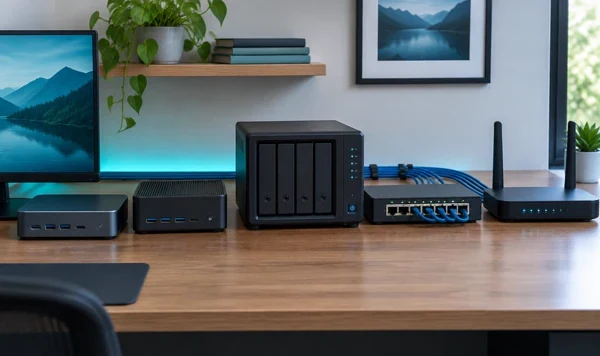
We build labs from small, efficient, unremarkable hardware, and we suggest you do the same. A pair of used 1L micro PCs and, if you need storage, a MicroServer will run the whole ten-layer stack from part one while barely affecting your electricity bill, and they are quiet enough to sit in a cupboard rather than a garage. Leave the full rack for later; start with hardware you will not resent when the power bill arrives, and put the money you save into RAM and backups.